PNG to JPG Format
Convert PNG to JPG format instantly – high quality, secure & free image converter.




PNG to JPG Format Converter – Free Online Tool
By Chandu | Updated on January 2026 | Free Image Tool
png to jpg format is needed when your PNG screenshots, logos, or graphics won't upload to websites, forms, or email because they're too large or unsupported. A free online png to jpg converter solves these problems instantly for students, bloggers, designers, developers, and photographers who face large file size issues, unsupported formats, slow uploads, and email attachment limits every day.
Think about a student trying to upload a PNG screenshot for an exam form but getting "file too large" error, a blogger whose PNG featured image slows down the entire post, or a developer whose transparent PNG logo won't work on an older CMS. These PNG files are often 5-10 times larger than JPG because they keep every pixel perfect with transparency support. ChanduSEOTool's PNG to JPG Format Converter is browser based, requires no signup, and delivers instant JPG results that upload everywhere. Convert png to jpg online and reduce file sizes by 70-90% while keeping photos clear enough for normal viewing.
Key Benefits of PNG to JPG Converter
- 100% free tool: Convert unlimited PNG files to JPG without payments or daily limits.
- No signup required: Start immediately without accounts, emails, or verification steps.
- Fast conversion: PNG to JPG happens in 2-3 seconds even for large screenshots or graphics.
- Works on mobile: Use Chrome or Safari on Android/iPhone to convert directly from gallery.
- No quality loss: Smart compression keeps photos clear for web, email, and document use.
- Secure & private: Browser processing means no server storage of your images.
- Supports bulk images: Convert multiple files quickly one after another.
- No watermark: Clean JPG output ready for professional or personal use.
- Beginner friendly: Three-click process works without design software knowledge.
Why Choose Our PNG to JPG Converter?
| Feature | Our Tool | Offline Software | Other Online Tools |
|---|---|---|---|
| Free to use | ✔ | ❌ | ❌ |
| No signup | ✔ | ✔ | ❌ |
| Conversion speed | ✔ Fast | ✔ Fast | ❌ Slow |
| Quality retention | ✔ High | ✔ High | ❌ Variable |
| Mobile support | ✔ | ❌ | ✔ |
| Privacy | ✔ Browser-only | ✔ Local | ❌ Server-stored |
| Watermark | ❌ None | ❌ None | ✔ Often added |
| Ease of use | ✔ Very simple | ❌ Complex | ✔ Varies |
Table of Contents
What is PNG to JPG Format?
png to jpg format conversion changes PNG images (large files with transparency) into smaller JPG files that every website, app, and device accepts. PNG keeps every pixel perfect and supports transparent backgrounds, but files are 5-10x larger than JPG. JPG uses smart compression to shrink files while keeping photos clear enough for screens.
Real example: A designer's 2MB PNG logo becomes a 200KB JPG that uploads instantly. A student's 1.5MB PNG screenshot converts to 150KB JPG that fits exam form limits. The trade-off is transparency gets filled with white background, but 95% of uses don't need transparency anyway.
Websites prefer JPG because pages load faster. Email clients handle JPG better. Government forms accept JPG universally. PNG to JPG format converter makes your images compatible everywhere while solving "file too large" errors.
Why Convert PNG to JPG?
For Website Owners
Website owners convert png to jpg for faster page loading and better SEO. A single PNG screenshot can be 2MB while JPG version is 200KB. When every visitor waits less, bounce rates drop and Google rankings improve. Bloggers convert PNG featured images to JPG to keep posts snappy.
Many WordPress themes and page builders also prefer JPG format. Converting PNG graphics to JPG ensures compatibility across all browsers and devices without "unsupported format" errors.
For Social Media Users
Social platforms compress images anyway, so PNG's perfect quality gets wasted. Convert png to jpg before uploading to Facebook, Instagram, Twitter - you'll get better control over final appearance. Transparent PNG logos convert to JPG with clean white backgrounds perfect for profile pictures and posts.
Email newsletters also work better with JPG. Recipients on mobile data or slow connections see images immediately instead of waiting for large PNG files to download.
For Designers
Designers create in PNG for transparency, but clients need JPG for final delivery. Convert png image to jpg for client proofs, print previews, and web mockups. Photo editors share JPG versions because they're universal and much smaller for email attachments.
Portfolio websites load faster with JPG previews. When sharing work on Behance or Dribbble, JPG files display consistently across all user devices and browsers.
For Students
Students screenshot notes, diagrams, and assignment pages as PNG, but exam forms, project portals, and college websites demand JPG under 500KB. png to jpg format converter solves this instantly so forms submit without "file too large" rejections.
Group projects work better too - everyone receives small JPG files instead of huge PNGs that fill phone storage or fail WhatsApp uploads. Transparent PNG diagrams convert to clean JPGs perfect for Word documents and presentations.
How to Convert PNG to JPG Online
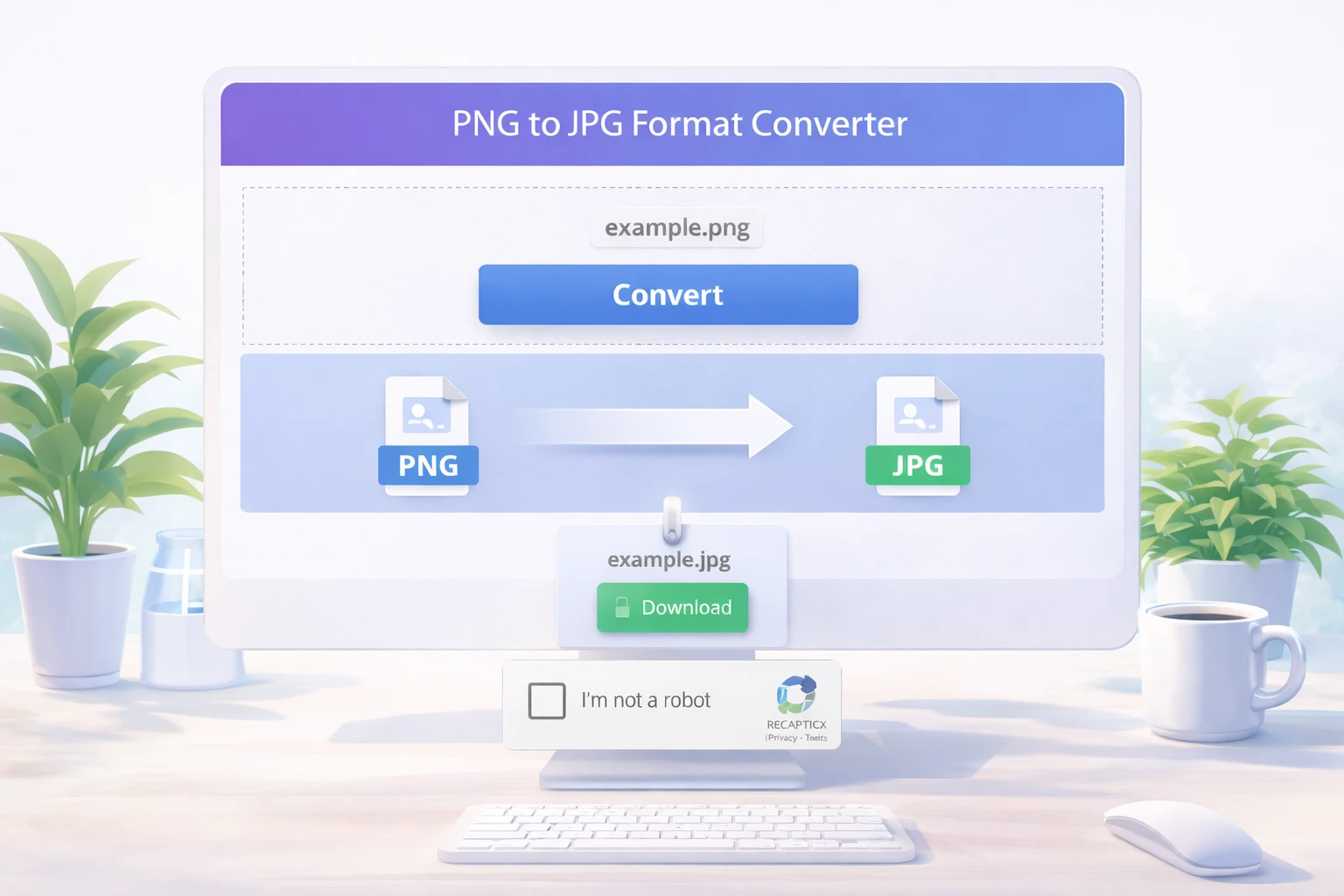
Step 1: Open Tool
Visit ChanduSEOTool and click "PNG to JPG Format Converter". The tool loads instantly in any modern browser - Chrome, Firefox, Safari, or Edge.
Step 2: Upload PNG Image
Drag your PNG file or click "Choose File". Works with screenshots, logos, graphics, or any PNG from phone gallery, downloads folder, or design software. Large files are fine too.
Step 3: Select JPG Format
The tool automatically detects PNG and sets JPG as output. No complex settings needed - just one format choice for universal compatibility.
Step 4: Click Convert
Hit the blue "Convert to JPG" button. Processing takes 2-5 seconds. You'll see file size comparison (PNG 1.2MB → JPG 180KB) and quality preview.
Step 5: Download Image
Click "Download JPG" to save. Name clearly like "screenshot-final.jpg" or "logo-web.jpg". File is ready for websites, emails, forms immediately.
Quick tips:
- Always save original PNG copy for future editing needs
- Avoid converting JPG back to PNG (causes quality loops)
- For multiple files, convert one-by-one - still faster than software
Convert Without Losing Quality
PNG to JPG uses smart compression that balances file size and visible quality. Photos look nearly identical to original PNG when viewed normally. The tool analyzes image content and applies optimal compression:
Landscapes, portraits, product shots: Light compression keeps colors natural Screenshots, diagrams: Medium compression preserves text readability Logos, graphics: Heavy compression still maintains clean edges
Best practices for png to jpg high quality:
- Start with high-resolution PNG (don't convert tiny thumbnails)
- Avoid multiple conversions (PNG→JPG→PNG→JPG loses detail)
- Preview before download - zoom to check text clarity
- For print needs, keep PNG original; JPG is screen/web optimized
Supported Formats
- PNG: Screenshots, logos, graphics with transparency
- JPG/JPEG: Universal photo format (can also convert back)
- WebP: Modern web format to JPG compatibility
- HEIC: iPhone photos to universal JPG
Common Issues & Fixes
File not uploading: Check PNG is valid image, not renamed document. Try different browser or refresh page. Very large PNGs (>20MB) may need compression first.
Format error: Corrupted PNGs from failed downloads won't convert. Re-save from original source or use screenshot tool to recapture.
Slow processing: Close extra browser tabs. Large detailed PNGs take 5-10 seconds max. Mobile data slower than WiFi.
Browser issues: Update Chrome/Firefox/Safari. Disable aggressive ad blockers. Try incognito mode if extensions interfere.
Privacy note: Images process in browser memory only. For confidential documents, use trusted personal devices. Delete downloads from shared/public computers.
FAQs
How to convert png to jpg format?
Upload PNG to ChanduSEOTool converter, click "Convert to JPG", download result. Complete process takes under 10 seconds with automatic size optimization.
Is this tool free?
Yes, png to jpg free with no limits, accounts, or watermarks. Convert personal and commercial images anytime.
Will image quality reduce?
Minimal quality change for screen viewing. JPG compression is smart - photos stay clear, text readable. Keep PNG originals for print/archiving.
Can I use on mobile?
Perfect for phones. Open Chrome/Safari, select PNG from gallery, convert to JPG, download instantly. No app installation needed.
Is signup required?
No accounts needed. Works immediately on any device, including school/office computers with restrictions.
Is my data safe?
Browser-based processing, no server storage. For sensitive files, use personal devices and delete downloads after use.
Can I batch convert multiple PNGs?
Convert files one-by-one (still takes seconds each). For dozens of images, process in batches of 5-10 minutes total.
Can I convert transparent PNG to JPG?
Yes, transparency becomes solid white background (standard JPG behavior). Perfect for photos, screenshots where transparency isn't needed.
Most Useful Image Tools by ChanduSEOTool
Conclusion
PNG to JPG format converter by ChanduSEOTool solves large file headaches for websites, emails, forms, and social media. Students submit screenshots, bloggers speed up posts, designers share proofs, and developers optimize sites - all with smaller, universal JPG files that work everywhere.

Popular Tools
Recent Posts


